
Wix is the most searched and most used website builder in the world. It’s also, depending on who you ask, either the obvious best choice or a platform serious website owners should avoid. After years of using Wix across personal projects and client sites, I’m here to cut through the polarized opinions and give you the honest answer.
The short version: Wix is excellent for a wide range of use cases, genuinely best-in-class in several areas, and the right choice for most people reading this review. But it has real limitations that matter for specific users, and I’ll cover those clearly too.
Wix is rated #1 in the overall Best Website Builders comparison — but read this full review before making your decision.
Wix at a Glance
- Best for: Small businesses, bloggers, creatives, online stores, service providers
- Price range: Free plan available; paid plans from $17/mo to $159/mo
- Ease of use: 9/10
- Design flexibility: 9/10
- Feature depth: 9/10
- SEO capabilities: 8/10
- E-commerce: 8/10
- Value for money: 8/10
- Overall rating: 8.5/10 — Highly Recommended
Wix Pricing
Wix has restructured its pricing tiers. Here’s what you’re actually getting at each level:
- Free: Wix-branded subdomain (yourname.wixsite.com), Wix ads displayed, 500MB storage. Useful only for testing.
- Light ($17/mo): Custom domain connection, 2GB storage, no Wix ads. The minimum for a credible business presence.
- Core ($29/mo): 50GB storage, video capabilities, events and ticketing. Good for growing sites.
- Business ($36/mo): Full e-commerce, 100GB storage, multiple payment options. For online stores.
- Business Elite ($159/mo): Unlimited storage, advanced e-commerce analytics, priority support, custom reports.
A note on pricing: Wix advertises introductory rates that increase on renewal. The figures above reflect standard pricing. Always check the renewal rate before committing to an annual plan.
The Editor: Where Wix Truly Excels
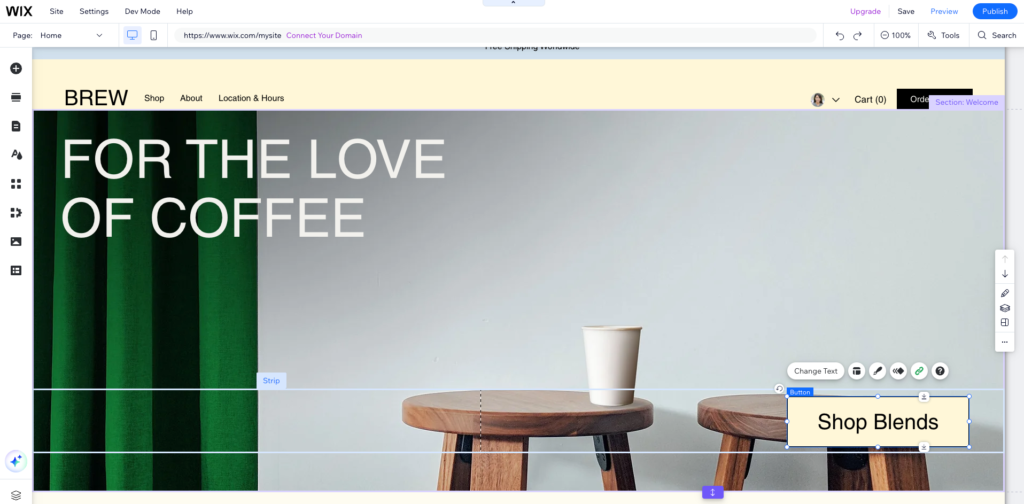
Wix’s drag-and-drop editor is the most genuinely free-form visual editor available in any website builder. Unlike Squarespace, which constrains elements to defined grid positions, or page builders like Elementor that work within a column structure, Wix lets you place any element — text, image, video, button, form — anywhere on the page canvas and resize it freely.
This is both its greatest strength and its most common source of user frustration. The freedom to put anything anywhere means it’s also easy to create inconsistent, visually cluttered pages if you’re not careful. My recommendation: start with one of Wix’s templates rather than a blank canvas, and resist the urge to move elements outside the template’s established layout.
The mobile editor is a separate view where you can adjust how your site looks on mobile devices without affecting the desktop version. This gives you fine-grained control over the mobile experience, but it also means you need to check and potentially adjust both views when making significant design changes.
Template Library: 900+ Options Across Every Category
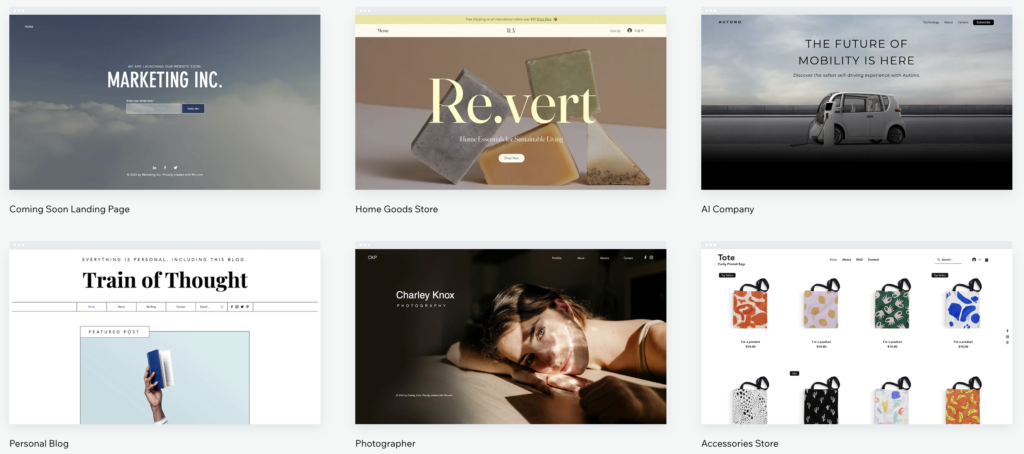
Wix has the largest template library of any website builder — over 900 professionally designed templates organized across industries including business, portfolio, restaurant, photography, health, education, events, blog, and more. The quality is consistently high, and new templates are added regularly.
One critical limitation: once you publish your Wix site with a given template, you cannot switch to a different template without rebuilding the site from scratch. This is Wix’s most-criticized constraint. My recommendation: spend adequate time choosing your template before you invest effort in customization. Preview multiple options on mobile as well as desktop before deciding.
Related Reading: How To Create Your Own Website — the full step-by-step guide covers template selection strategy
Wix App Market: 300+ Integrations
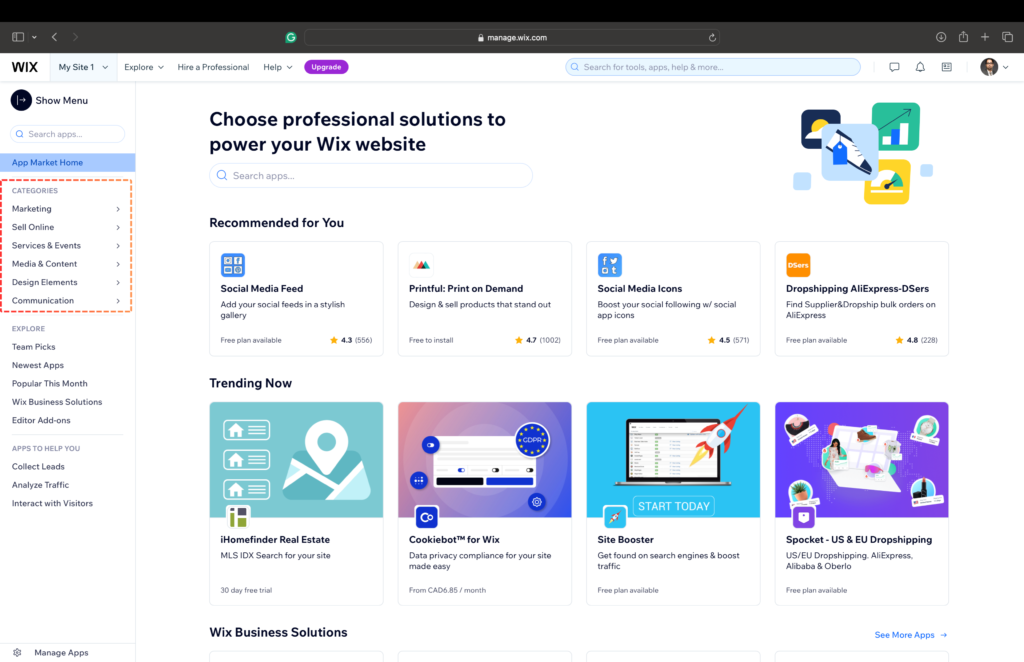
The Wix App Market is a major differentiator. With over 300 free and paid apps covering live chat, booking systems, email marketing, social feeds, events, membership areas, and more, Wix can be extended far beyond a basic website builder. For small businesses that want a single platform to handle their entire web presence, this extensibility is genuinely valuable.
Notable integrations include Mailchimp, Wix Bookings (for appointment scheduling), Wix Stores (e-commerce), Google Analytics, Facebook Pixel, and a growing list of CRM and marketing tools.
Pro Tip: Pair Wix with an interactive calculator to capture and qualify more leads directly from your site. Best Calculator and Form Builders — tools that embed seamlessly into Wix
Wix SEO: Much Better Than Its Reputation
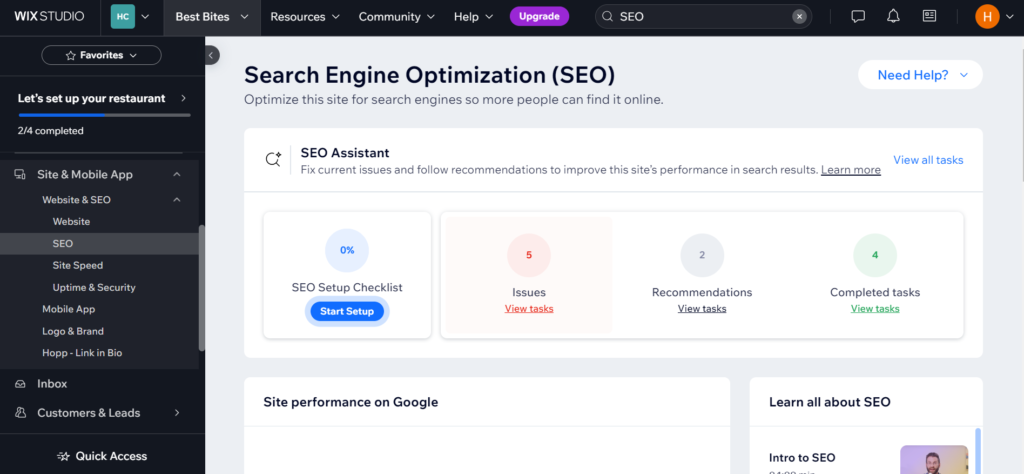
Wix’s SEO capabilities were genuinely limited several years ago, and the reputation from that era still lingers unfairly. Today, Wix gives you full control over title tags, meta descriptions, canonical URLs, redirect management, structured data (JSON-LD), and XML sitemaps. The Wix SEO Wiz provides a personalized checklist of SEO improvements for your specific site.
The honest assessment: Wix SEO is solid for the vast majority of websites. You can absolutely rank well on Google using Wix. The gap with self-hosted WordPress + advanced plugins exists but is small for most use cases. If your site depends entirely on organic search traffic and you need granular technical SEO control, self-hosted WordPress remains the more powerful choice. For everyone else, Wix is perfectly capable.
To maximize your Wix site’s search performance, pair it with the right external tools from the Best SEO Tools guide.
Wix E-commerce: Good for Small Stores
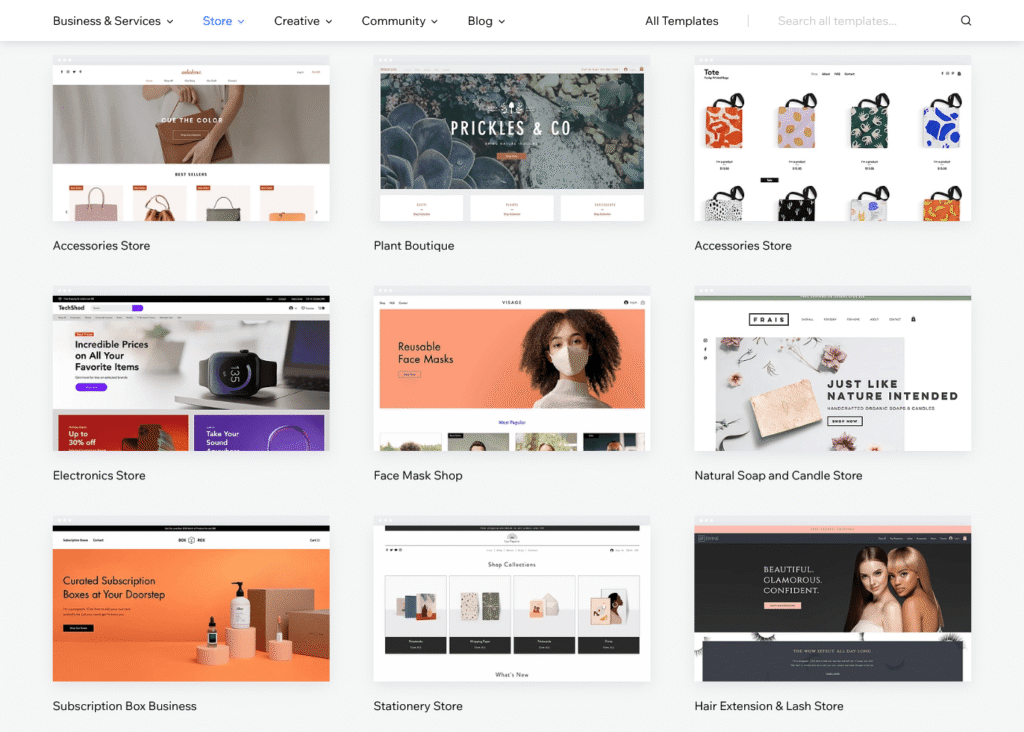
Wix Stores has matured significantly. You can sell physical and digital products, manage inventory, offer discount codes and gift cards, process payments via Stripe, PayPal, and Square, set up abandoned cart recovery emails, and connect to print-on-demand services. For small-to-medium online stores (under a few hundred products), Wix handles everything you need.
For larger stores, high-volume operations, or complex product configurations, Shopify remains the more purpose-built solution. Wix e-commerce is excellent in its class; it’s simply not competing in Shopify’s class.
Pros and Cons Summary
Pros
- Best-in-class drag-and-drop editor with genuine design freedom
- 900+ professionally designed templates across every industry
- App Market with 300+ extensions and integrations
- Free plan for testing; no credit card required
- Built-in blogging, booking, events, and e-commerce tools
- Wix ADI for auto-generated websites in minutes
- Significantly improved SEO tools in recent years
- Strong customer support: 24/7 live chat and phone callback
Cons
- Cannot switch templates after publishing without rebuilding
- Free plan displays Wix branding and ads
- Mobile editor requires separate attention after desktop edits
- Pricing increases significantly on renewal
- Less suitable than WordPress for very content-heavy or SEO-intensive sites
Who Should Use Wix?
- Small business owners who want professional results fast
- Bloggers who want design flexibility without managing WordPress
- Creatives and portfolios showcasing visual work
- Service providers who need booking and contact form integrations
- Entrepreneurs testing a business concept before investing in custom development
Who Should Look Elsewhere?
Serious bloggers needing maximum SEO control: Self-hosted WordPress + a good hosting provider gives you more power.
Budget-first small businesses: uKit offers comparable quality at a significantly lower price point.
Designers needing code-level control: Webflow is the professional’s choice.
Switching to Wix? Migration Is Easier Than You Think
One of the most common reasons people hesitate to choose Wix isn’t doubt about the platform itself — it’s the fact that they already have a site somewhere else. Migrating feels like a project. It feels like risk. So they stay on a platform they’re not happy with rather than deal with the move.
Here’s the reality: switching to Wix is more manageable than most people expect, and in many cases it doesn’t require doing everything manually from scratch.
Specialized migration services exist specifically to handle the technical heavy lifting — transferring your content, structure, and assets from your current platform into Wix without you having to rebuild page by page. The most common migration path is WordPress to Wix, and it’s also the most well-supported. If your current site runs on WordPress and you’ve decided Wix is the better fit going forward, this dedicated service handles the content transfer so you can focus on the new site rather than the logistics of the move.If the right platform for your next chapter is Wix, the fact that your current site lives somewhere else is not a reason to delay the decision.
Final Verdict
Wix is the best all-around website builder for most people . Its combination of design freedom, a deep app ecosystem, reliable performance, and continued platform investment makes it the default recommendation for small businesses, creatives, and bloggers who want professional-quality results without writing code.
The template-lock issue is a real limitation — choose your template thoughtfully before investing time in customization. But for users who plan ahead and pick the right starting point, Wix delivers an outstanding website building experience at a competitive price.
Jeremy’s Rating: 8.5/10 — Highly Recommended for most website owners.