
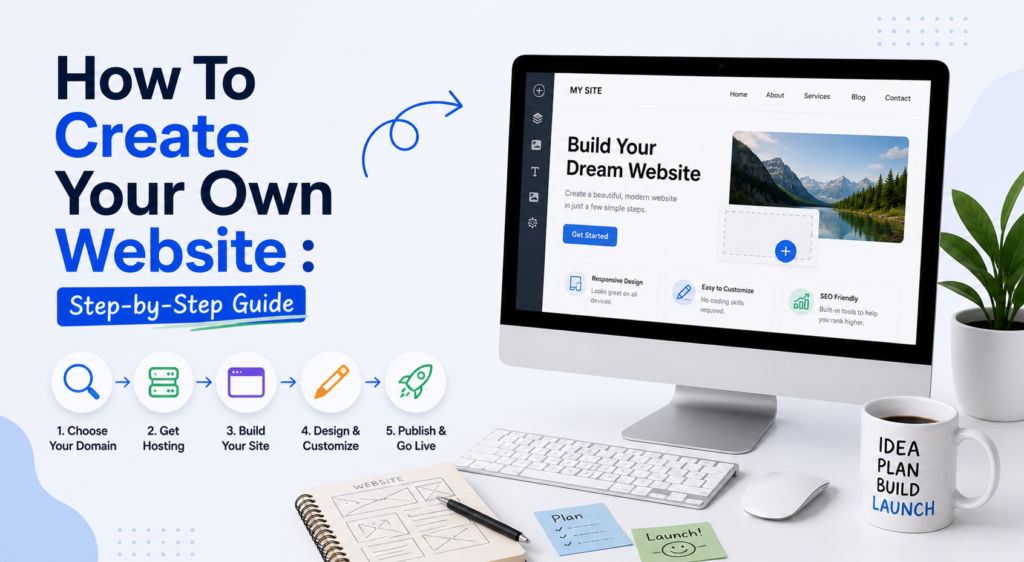
Creating your own website has never been more accessible. The barriers that used to require a developer — complex server configuration, hand-coded HTML, database management — have been abstracted away by modern website builders and hosted CMS platforms. Today, with the right tool and a clear plan, you can have a professional website live within a single weekend.
This guide walks you through the entire process from concept to launch, in plain English, without assuming any technical background. Whether you’re building a business site, a portfolio, a blog, or an online store, every step applies.
If your primary goal is to build a blog and make money from it, this guide pairs with a deeper strategy resource. How To Start A Blog And Make Money — the strategy companion to this technical guide
Step 1: Get Clear on Your Website’s Purpose
Before you choose a single tool or register a domain name, spend 20 minutes getting specific about what you want your website to accomplish. This decision shapes everything else: which platform makes sense, which template style fits, what pages you need, and what success looks like.
- Business website: Present your services, build credibility, and capture leads
- Blog or content site: Publish regular content to build an audience and earn income
- Portfolio: Showcase your work to attract clients or employers
- E-commerce store: Sell physical or digital products online
- Personal brand: Establish yourself as an expert in your field
Write down one clear sentence describing your website’s primary job. For example: “My website’s job is to convince local homeowners that I’m the best landscaper in the area and make it easy for them to request a quote.” That clarity will inform every decision in this guide.
Step 2: Choose and Register a Domain Name
Your domain name is your website’s permanent address on the internet. Choosing the right one matters more than most people realize — it contributes to brand credibility, memorability, and even SEO.
- Keep it short: 2–3 words is ideal. Shorter domains are easier to remember, type, and share verbally.
- Use .com if possible: Despite the proliferation of new TLDs, .com still carries the most trust and recognition.
- Avoid hyphens and numbers: They confuse people when you share your domain verbally.
- Make it brandable: Your domain should reflect your name, business name, or the core topic of your site.
- Check trademark conflicts: A quick trademark search before registering saves legal headaches later.
You can register your domain through a dedicated registrar like Namecheap (~$10/year) or through your hosting provider, which often includes a free domain for the first year.
Step 3: Choose Your Website Building Approach
This is the most consequential decision in the process. There are two main approaches, each with distinct trade-offs:
Option A — All-in-One Website Builder (Easiest): Platforms like Wix, uKit, and Squarespace include hosting, security, updates, and a visual editor all in one product. You pay a monthly subscription and focus entirely on building your site. No technical management required. Best for small businesses, beginners, and anyone who values speed over maximum flexibility.
Option B — Self-Hosted WordPress (Most Powerful): You purchase hosting separately, install WordPress, and build your site using themes and plugins. More complex to set up, but significantly more powerful and cost-effective at scale. Best for bloggers, content sites, and anyone who wants full ownership and no platform lock-in.
The full comparison of every platform option is covered in the Best Website Builders guide — with honest pros and cons for each.
If you go the self-hosted route, your next decision is hosting. The host you choose will affect your site speed, reliability, and long-term experience more than almost any other technical decision.
→ See also: Best Web Hosting — my top 5 picks with detailed comparisons for different needs and budgets
Step 4: Set Up Your Site and Choose a Template
Whether you’re using a website builder or WordPress, you’ll start by selecting a template or theme that matches your intended design direction. Don’t overthink this stage. Choose something clean, professional, and close to what you want. You can always refine the design later, but getting a good foundation live quickly matters more than perfection.
When choosing a template, look for:
- A design style that matches your brand tone (modern, traditional, creative, minimal)
- Templates built for your industry or use case
- Mobile-responsive layouts (non-negotiable )
- Fast-loading designs without excessive animations or heavy image backgrounds
- A clear space for your most important call to action on the homepage
Step 5: Build Your Core Pages
Most websites need the same five foundational pages. Get these right before worrying about anything else.
- Homepage: Your first impression. Lead with a clear headline that explains what you do and for whom. Include your primary call to action prominently above the fold.
- About page: Who you are, what you do, and why visitors should trust you. Personal, specific, and authentic — generic “we are committed to excellence” copy does nothing.
- Services or Products page: Clearly describe what you offer, who it’s for, and how to get it. Include social proof: testimonials, case studies, or client logos if you have them.
- Contact page: Make it genuinely easy to reach you. Include a contact form, your email address, and any other relevant contact method.
- Blog (optional but recommended): If you want organic traffic from Google, a blog is the most reliable path to get it. Even 2 posts per month, consistently, compounds meaningfully over time.
If you want to add interactive elements like quote calculators or multi-step inquiry forms to your site, dedicated tools can dramatically improve lead quality without requiring any development work.
Deep dive: Best Calculator and Form Builders — the tools I recommend for adding powerful forms and calculators to any website
Step 6: Write Your Content
Design gets attention; content closes the deal. Even the most beautiful website fails if the written content is generic, vague, or poorly structured. Here are the principles I apply to every website I build or consult on:
- Write for your reader, not for yourself. Answer the questions they actually have.
- Lead every page with the most important information. Don’t make readers scroll to find out what you do.
- Be specific. “We helped 47 clients increase revenue by an average of 34% in 6 months” beats “we deliver results.”
- Use short paragraphs and clear headings. Dense walls of text drive visitors away.
- Every page should have one clear call to action. Don’t ask visitors to do five different things.
Step 7: Optimize for Search Engines
SEO is not a separate project you tackle after your site is built — it should be baked into every page from day one. Here’s the minimum viable SEO setup for a new website:
- Write a unique, keyword-informed title tag and meta description for every page
- Use your primary keyword naturally in your H1 heading and first paragraph
- Add descriptive alt text to every image
- Connect Google Search Console and submit your XML sitemap
- Check your site’s mobile usability and Core Web Vitals scores in GSC
- Build 3–5 internal links between related pages from the start
For a complete roadmap to growing your site in search results, start with the Best SEO Tools guide — it covers both the tools and the strategy for different budgets.
Step 8: Launch and Keep Building
There is no such thing as a perfectly finished website, and waiting for perfection is the single most common reason good websites never launch. Set a target launch date, make sure the core pages are live and working, verify all forms and links, and press publish.
After launch: share your site on your social profiles, reach out to your network personally, submit to relevant directories and local listings if applicable, and start building content consistently if blogging is part of your strategy.
Using a website builder like Wix or uKit, a motivated beginner can go from zero to live in a weekend. Self-hosted WordPress typically takes 1–2 weeks to configure fully. The only thing that matters less than when you start is whether you start at all.
You might also like: Best Online Marketing Tools — once your site is live, here’s how to grow your audience
Don’t miss: Wix Review — an in-depth look at the #1 rated website builder on this blog